
Microsoft 365, Office 365 Onboarding and Adoption

Our definition of onboarding goes beyond just creating the subscription, migrating the data. We understand modernizing the applications, device management needs to be on the roadmap too. We help you unlock the value of the cloud, by helping end-users adopt the tools and services. Our support services seamlessly extend your IT to help you manage the cloud environment.
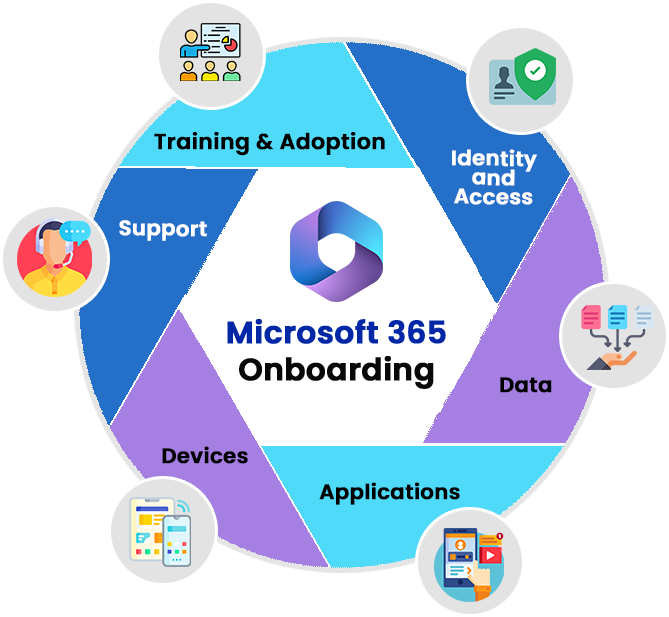
Office 365 Onboarding and Adoption - Zelar
Packages

Office 365 On-boarding Packages

FeatureStarter packageEssential package
(Most popular)
Advantage package
Tenant Setup
  1. Create Azure AD, O365 Tenant
  2. Import Users
  3. Configure Domain
  4. Procure and Assign licenses
Security configuration

O365 Security Services - Starter package

O365 Security Services - Essential package

O365 Security Services -Advantage package

Data Migrations
  1. Email (User, Shared and Archive mailboxes), OneDrive.
  2. From GWS, Exchange On-premises, On-premises File Share, SharePoint Server

O365 Tenant to Tenant migration including Teams, Planner, O365 Groups, DLs, Security Groups, Contacts.

Application Migrations

O365 Tenant to Tenant migration - Power Apps, Power Automate

Governance
Start of life:
  1. Prevent sprawl, Setup Request and Approval process for end-users to create new Teams, SharePoint sites, Planners and Groups
  2. Configure Group Naming policy.
  3. Configure per Group External Sharing policy
  4. Governance on usage of public vs Private teams
Start of life
  1. Setup SharePoint site Templates for consistent branding and navigation and enforce company norms
  2. Setup Team templates with pre-defined channels, tabs, and app
  3. Protect confidential data by using Microsoft 365 Sensitivity Labels. Make sure they are applied as soon as a new workspace is created. This will provide maximum security and prevent confidential data from leaving your organization.
Continuous Governance
  1. Configure Access Reviews for Admins and Guests
End of life Governance
  1. Configure O365 Groups Expiration policy.
  2. Configure Retention Policies for Team data, User data.
  3. Expiration of access to External users at end of B2B collaboration
  4. Re-claim license on user off-boarding.
Compliance

O365 Compliance score: Identify applicable actions and implement in the areas of

  1. Data Classification
  2. Data Loss Prevention
  3. Data lifecycle Managemen
Intranet
  1. Design and setup SharePoint Intranet Home site
  2. Create 5 Collaboration sites for each of the Departments. Example: HR, IT
  1. Configure Viva Connection
  2. Configure Viva Engage
  3. Configure Viva Learning
  1. Configure Viva Topics
  2. Configure Viva Goals
Adoption Guidance
Train the trainer for
  1. Teams
  2. OneDrive
  3. SharePoint
  4. Outlook
  1. OneNote
  2. Tasks (Planner & To-do)
  3. Forms
  4. Stream
  5. Booking
  6. Lists
  7. Viva Connection
  8. Viva Engage
  9. Viva Learning
  1. O365 Co-pilot
  2. Viva Insights
  3. Viva Topics
  4. Viva Goals
Transition to Support
Consulting Hours

2 hours of Q&A included

5 hours of Q&A included

Add Ons (Charged separately)
Device / Endpoint Onboarding
Power Apps / Automate
Power BI Dashboard / Reports
Custom apps
  1. Develop / re-design apps to utilize O365 services
  2. Configure Single Sign on with O365.

Get Started

Unlock the value of the cloud — let Zelar run your Microsoft 365 onboarding and adoption.

Contact Us